Spot a word you love. Right-click, type, or import it. Lexophile turns it into a permanent, searchable note inside your vault, one word at a time.
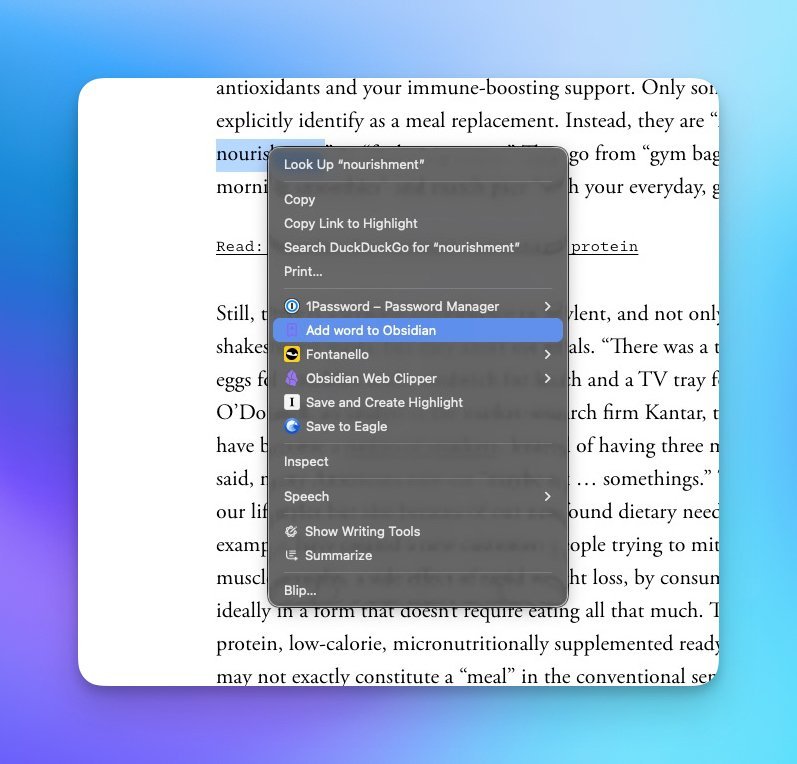
Reading something on the web and you spot a word you want to keep? Highlight it, right-click, and pick Add to Lexophile.
The definition lands in your vault before you've finished the next sentence, with a link back to the page you found it on.
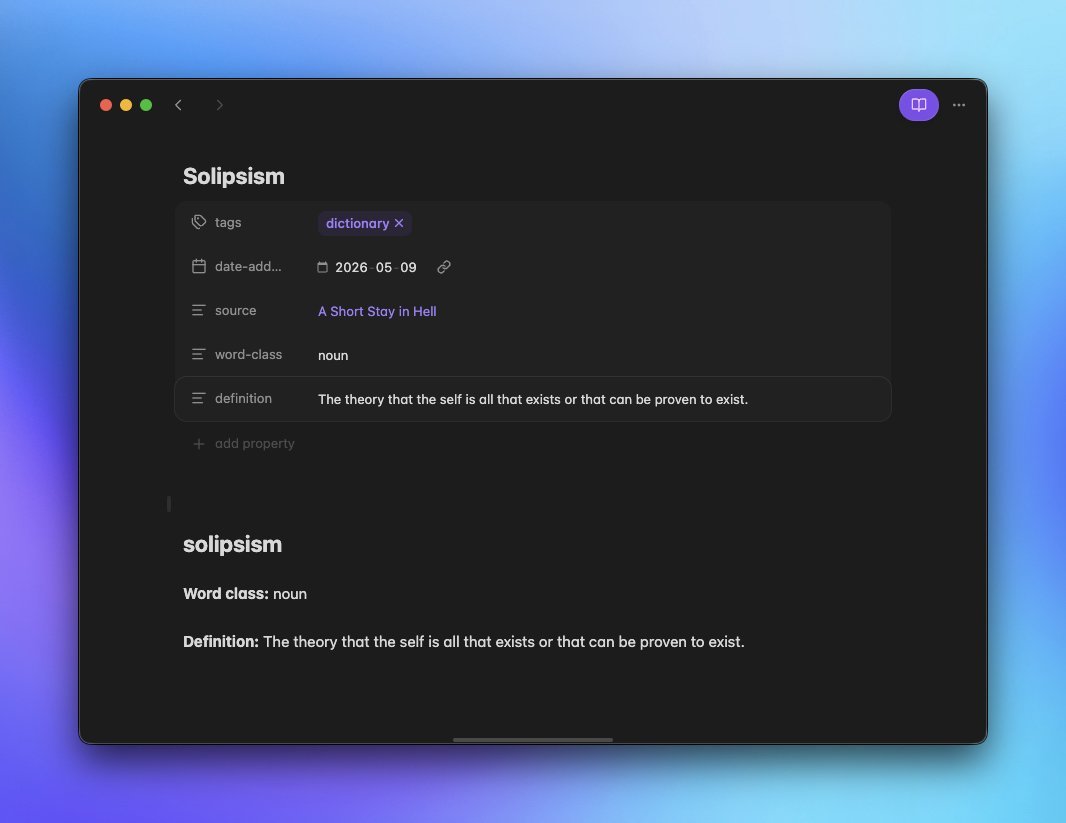
Each word becomes its own note with the part of speech, definition, and a link back to the source.
Standard frontmatter, no proprietary format, no lock-in. If you can use Obsidian, you can use Lexophile.
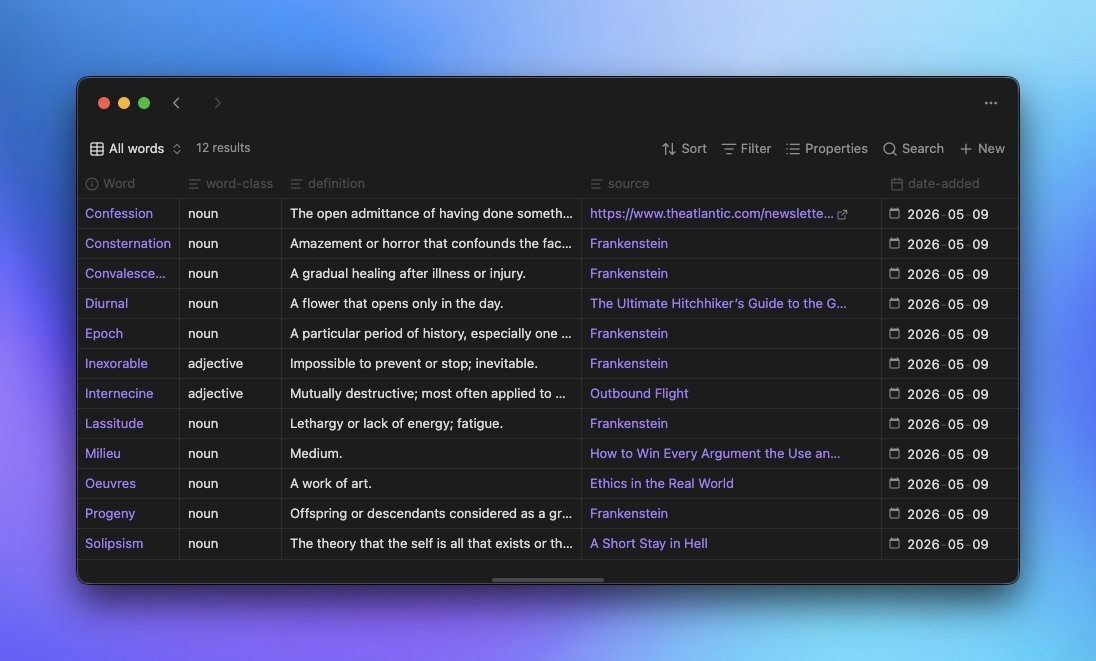
Lexophile auto-builds an Obsidian Bases view of every word you've collected.
Sort by date, filter by part of speech, search by source. It's a dictionary you actually want to flip through.
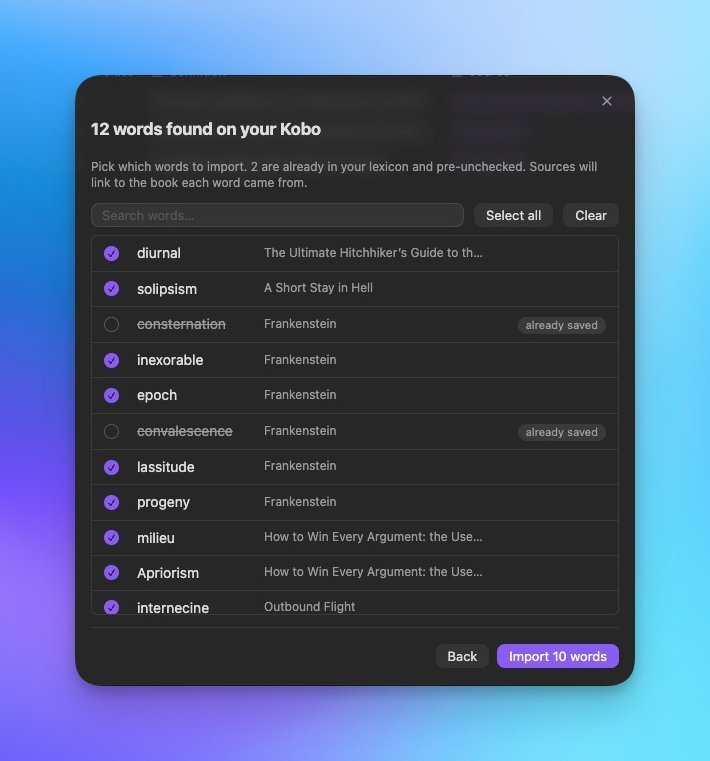
Plug in your Kobo, run one command, and pull every word you've ever saved while reading.
Each word links back to the book it came from. Already saved words get politely skipped.
No accounts, no cloud, no setup wizardry. Just install, connect, collect.
Drop the plugin into your Obsidian vault and load the Chrome extension as an unpacked folder.
The extension generates a token. Paste it into the plugin's settings. Click Test connection. Done.
Right-click words on the web, type them in Obsidian, or import them straight from your Kobo.
Lexophile works the moment you install it, and bends to fit your vault when you want it to.
Words land wherever you want, named however you want. Title case, lowercase, or as-is.
Change the markdown template per word with frontmatter variables for everything.
Kobo imports become wikilinks to book notes Lexophile creates for you, or stitches into the ones you already have.
Skip, append, or overwrite. Your vault, your rules.
One outbound call to fetch the definition. No accounts, no analytics, no cloud sync.
MIT licensed. Fork it, tweak it, send a pull request, or just enjoy it.
Free, open source, and yours to keep. Welcome to the lexophile life.